
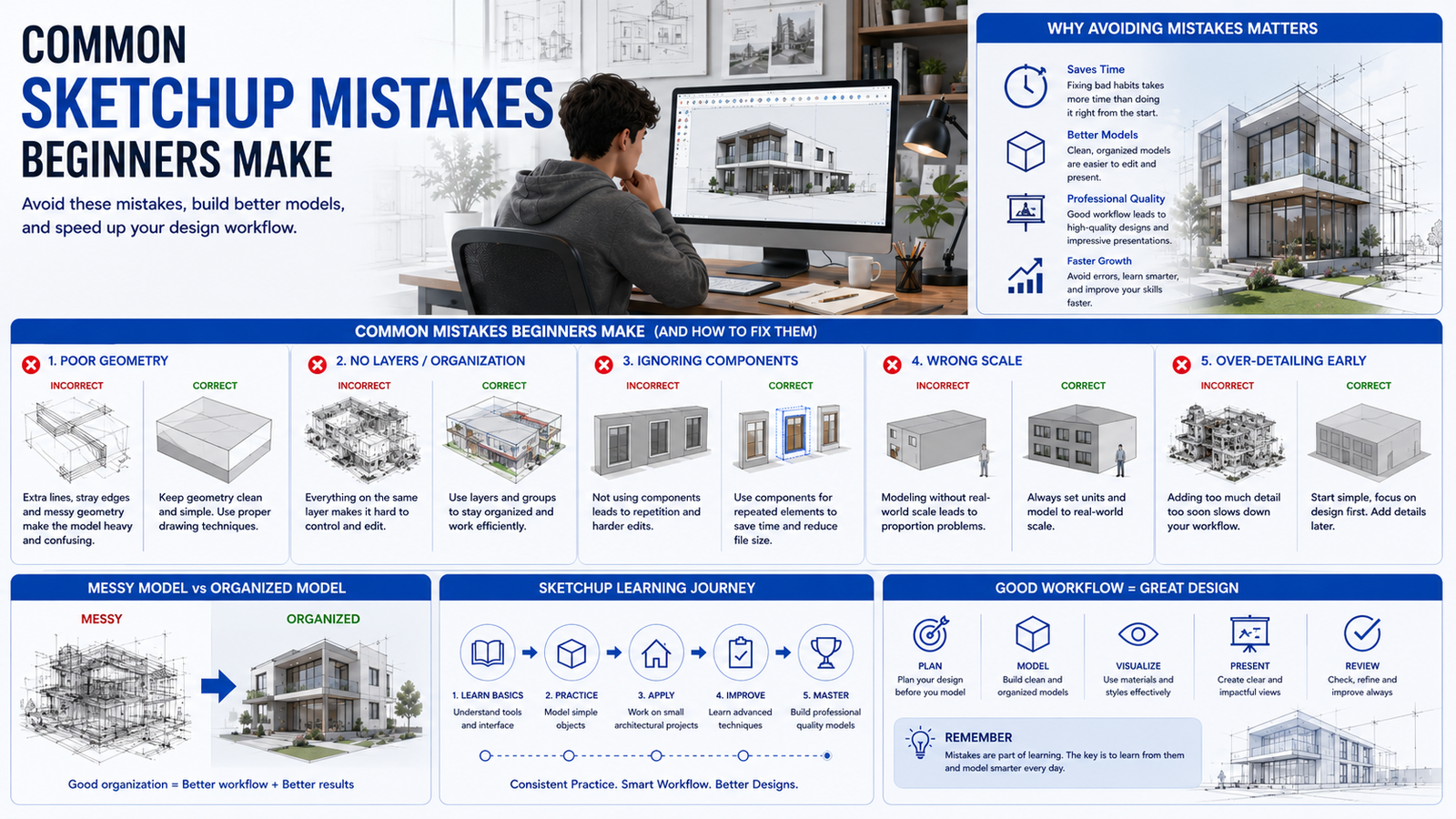
At 4Dimensions Infotech Pune, students learning SketchUp for beginners in architecture often discover that creating a 3D model is easy, but creating a clean and professional model requires proper workflow practices.
Many beginners focus on drawing quickly without understanding how professional architectural models are built and organized.
As a result, projects become difficult to edit, inaccurate, and sometimes impossible to manage as they grow in complexity.
Fortunately, most of these issues are easy to avoid once you understand the common mistakes that beginners make.
Learning proper SketchUp workflows early helps architecture students, interior designers, and civil engineering students build stronger 3D modeling skills and improve project quality.
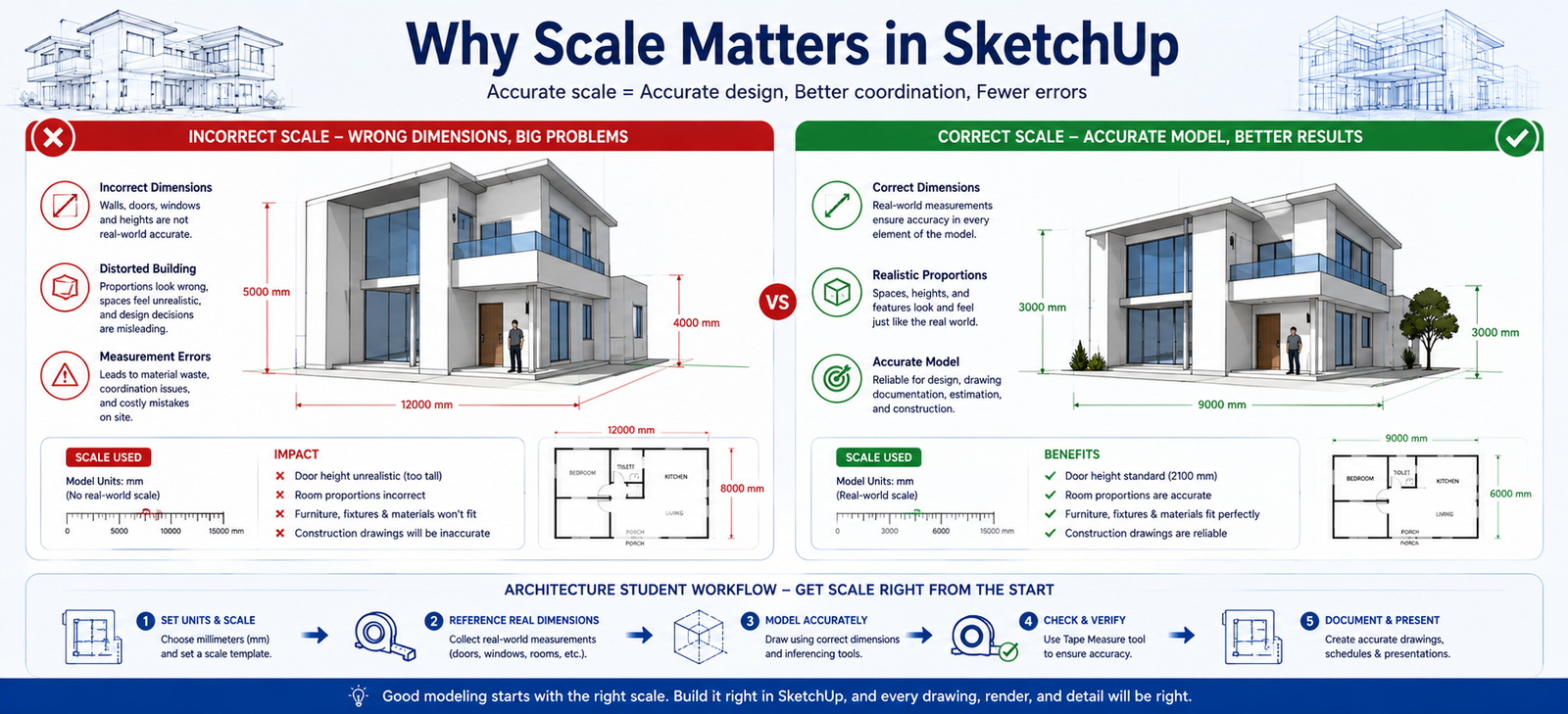
One of the most common SketchUp beginner mistakes is ignoring proper scale and dimensions.
Without correct scaling, architectural models lose realism, functionality, and accuracy.
Instead of immediately drawing objects, students should first establish project units and measurement settings.
Proper scaling helps create professional architectural models and supports workflows similar to those used in engineering design lifecycle processes.
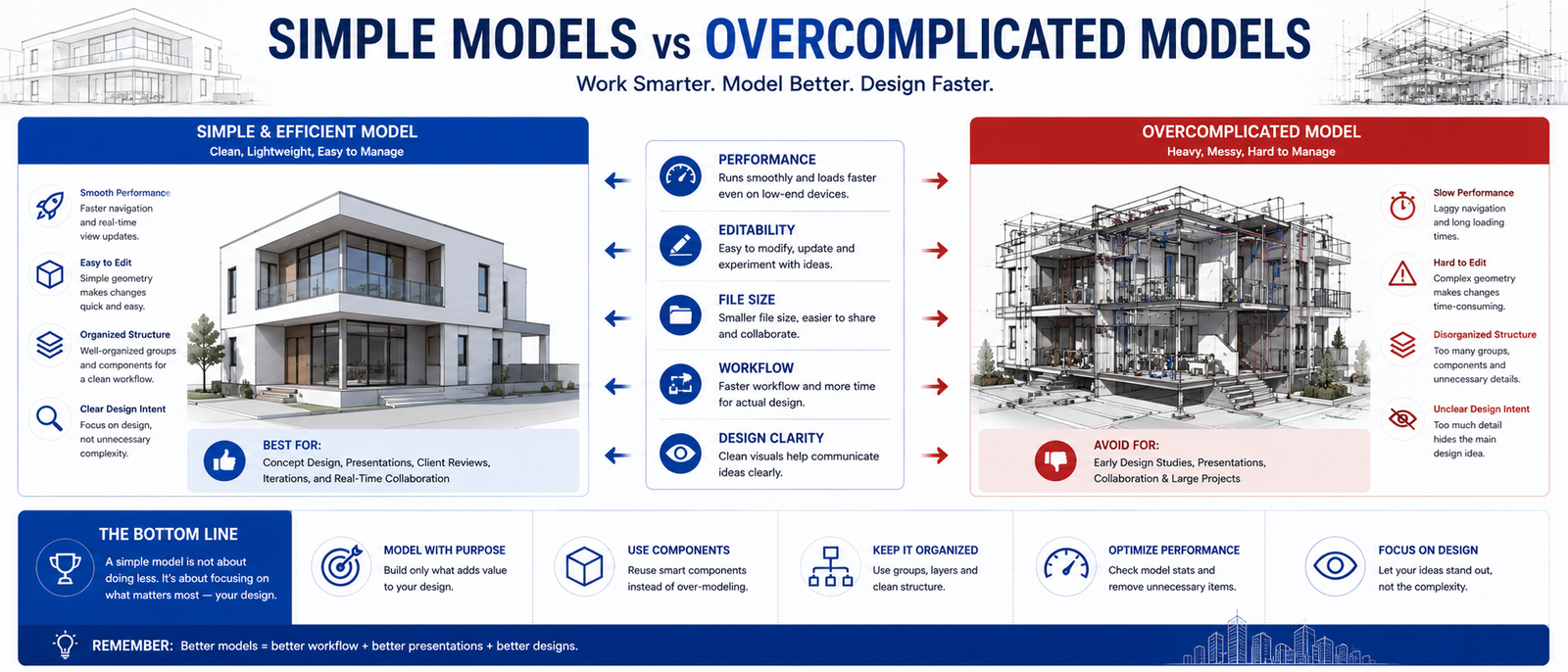
Many beginners try to create highly detailed models before learning the fundamentals of SketchUp architecture design.
However, excessive detail often creates clutter and slows down project development.
Professional designers usually begin with simple massing models and gradually add complexity as the design evolves.
This structured approach improves workflow efficiency and model clarity.
One of the biggest causes of messy SketchUp projects is poor object organization.
When objects are not grouped properly, editing becomes difficult and accidental modifications become common.
Using groups and components helps maintain clean and professional architectural models.
SketchUp relies heavily on red, green, and blue axes for accurate modeling.
Many beginners ignore axis alignment and accidentally create geometry that is slightly rotated or misaligned.
Over time, these errors create major problems during modeling and project development.
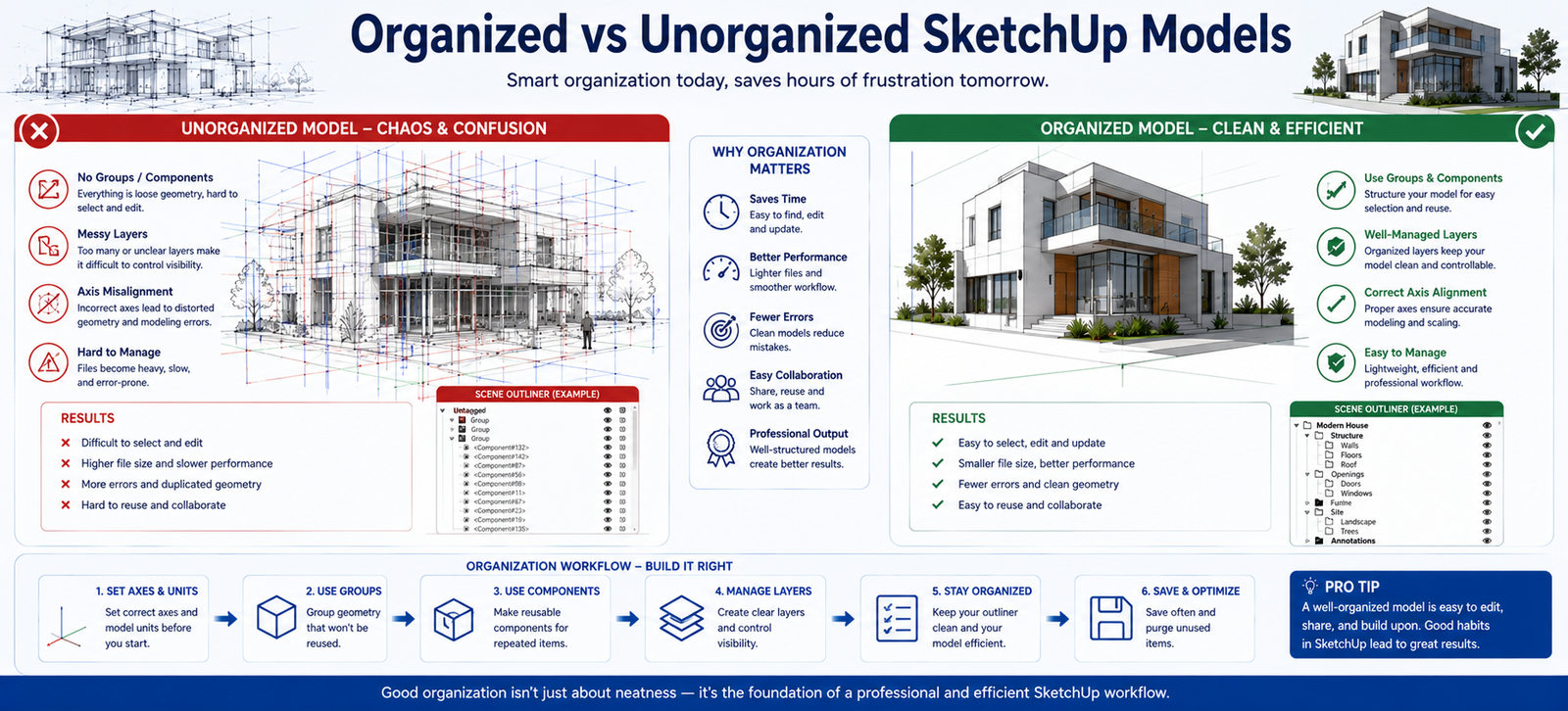
Large architectural projects require proper organization.
Without structured layers and naming systems, projects quickly become confusing.
Using consistent file management practices helps improve productivity and collaboration.
Many beginners treat SketchUp as a standalone tool.
However, professional construction and architecture projects often integrate SketchUp concepts into larger BIM workflows.
This connection becomes important when moving into advanced software environments and aligns closely with BIM-based construction workflows.
The fastest way to improve SketchUp skills is through structured learning and project-based practice.
Start with simple architectural projects, focus on workflow fundamentals, and gradually increase project complexity.
This approach improves modeling speed, organization, and design quality.
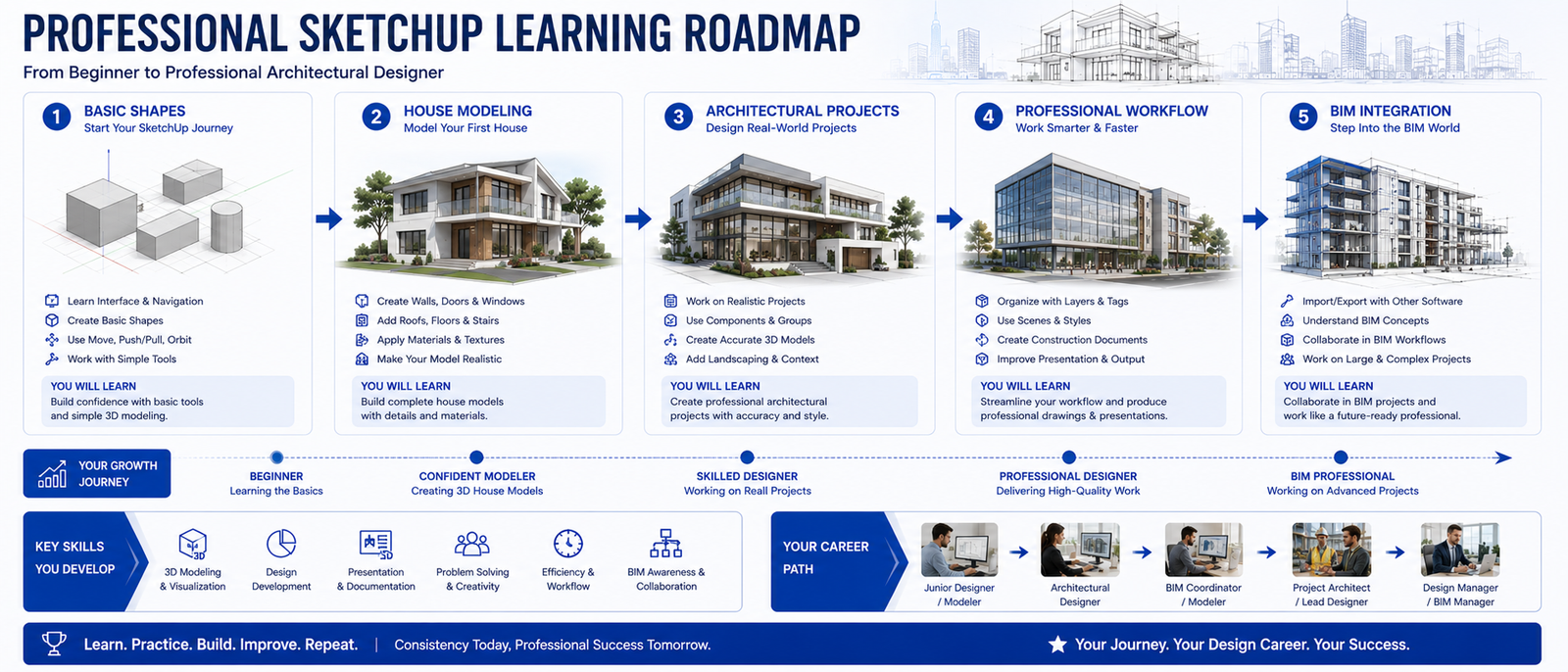
SketchUp is one of the easiest and most effective tools for learning architectural visualization and 3D modeling.
However, beginners often make avoidable mistakes that reduce productivity and model quality.
By understanding these common errors early, students can develop stronger SketchUp workflows and create more professional architectural projects.
Mastering SketchUp requires more than simply watching tutorials. Real growth comes from structured practice and project-based learning.
At 4Dimensions Infotech Pune, students work on practical architectural projects while learning SketchUp, Revit, CAD, and Civil 3D workflows used in the industry.
1. What are common SketchUp mistakes?
Ignoring scale, poor organization, and overcomplicating models.
2. Is SketchUp good for beginners?
Yes, it is one of the easiest tools for architectural modeling.
3. Why do SketchUp models become messy?
Because of poor use of groups, components, and layers.
4. Can SketchUp be used in real projects?
Yes, especially for concept design and visualization.
5. How can I improve SketchUp skills?
By practicing structured workflows and working on real projects.
© 2025 4Dimensions Infotech. All rights reserved. | Best Design Engineering Training Institute in Pune
Start your journey with the best design engineering training institute in Pune.