
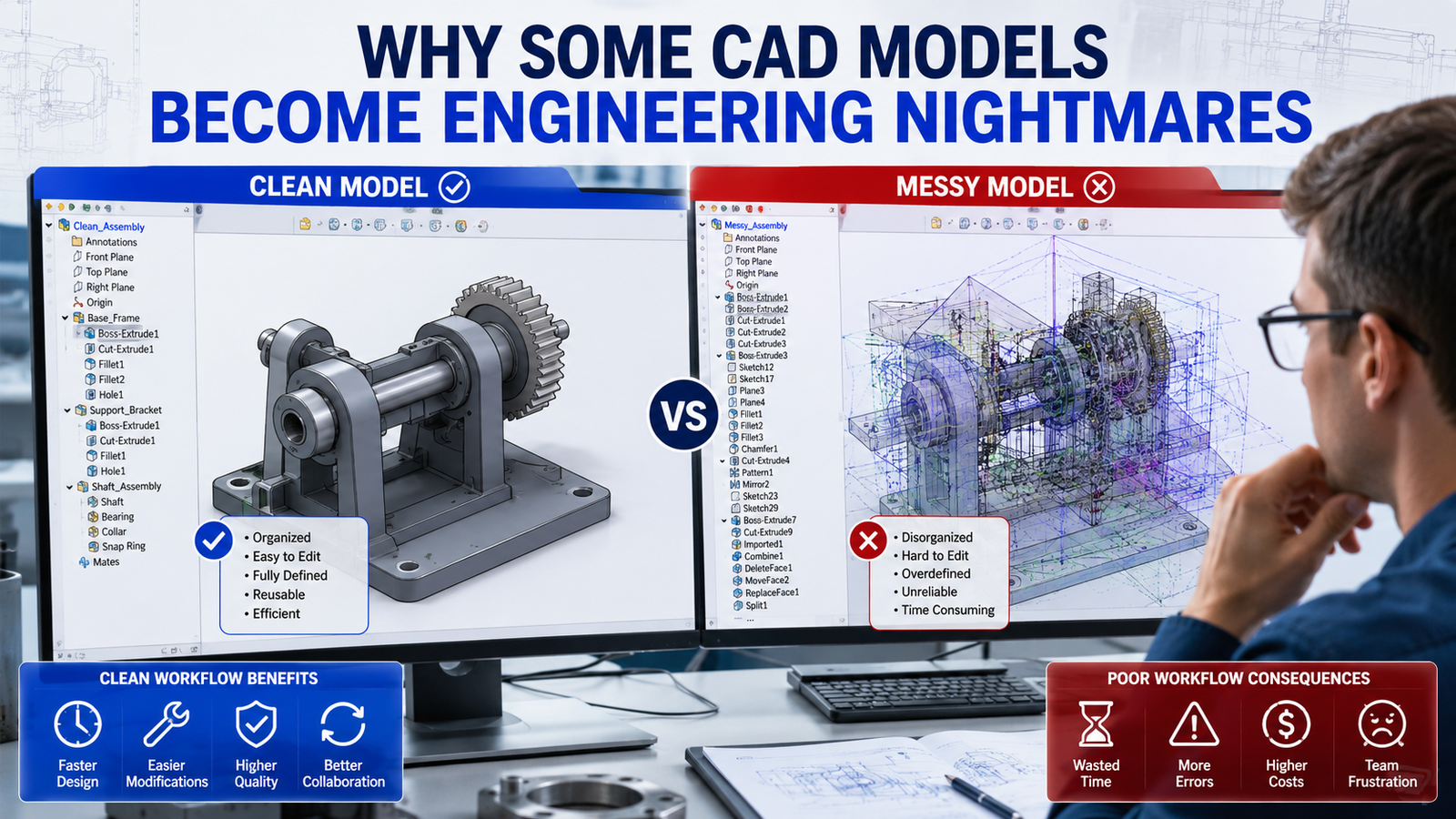
A CAD model can look perfect on the screen and still become a nightmare during a real project.
Many beginners focus only on creating the final geometry. However, experienced design engineers know that how a model is built is often more important than how it looks.
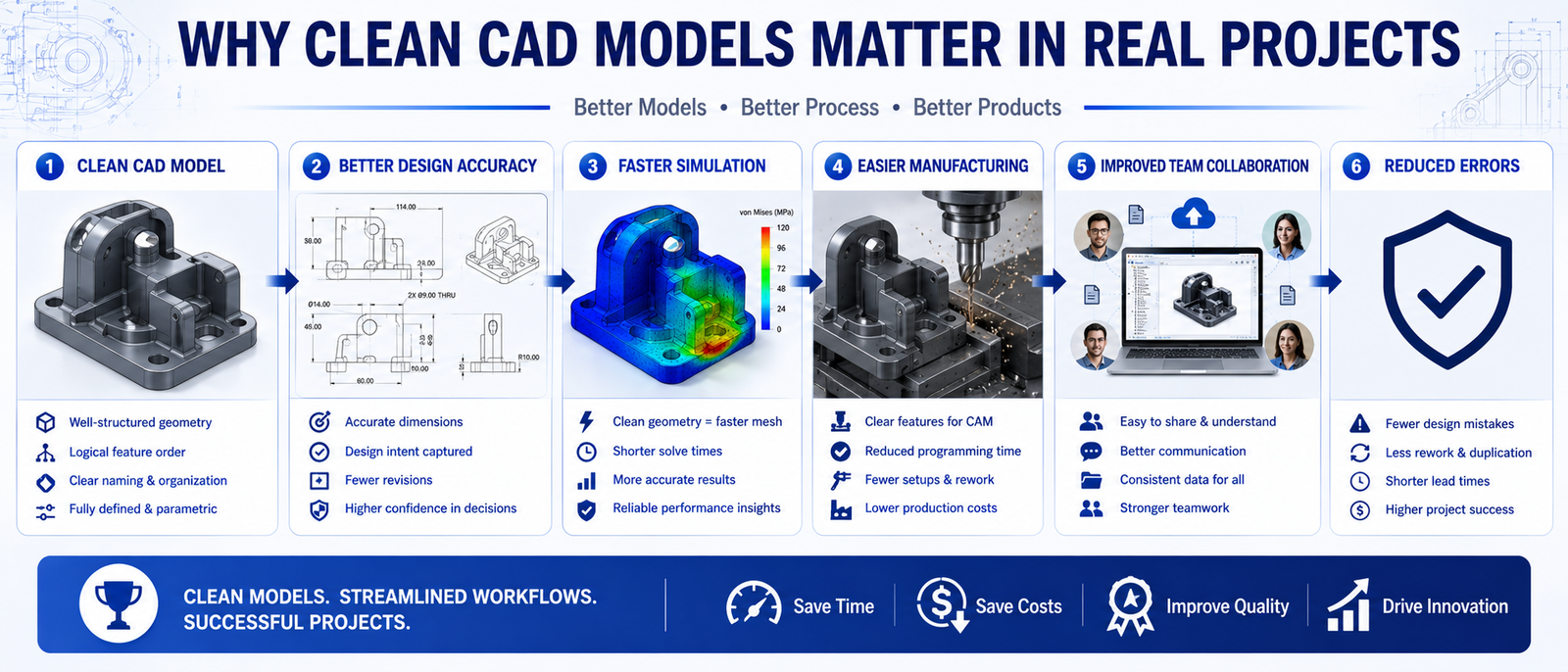
A poorly structured model may work initially, but it can create major problems during design modifications, simulation, manufacturing, and team collaboration.
Imagine opening a model six months later and struggling to understand how it was created. Now imagine a production engineer, simulation engineer, or teammate trying to work with that same model.
This is why companies place huge importance on Clean CAD Modeling Best Practices. A clean model saves time, reduces errors, and improves efficiency throughout the entire engineering workflow.
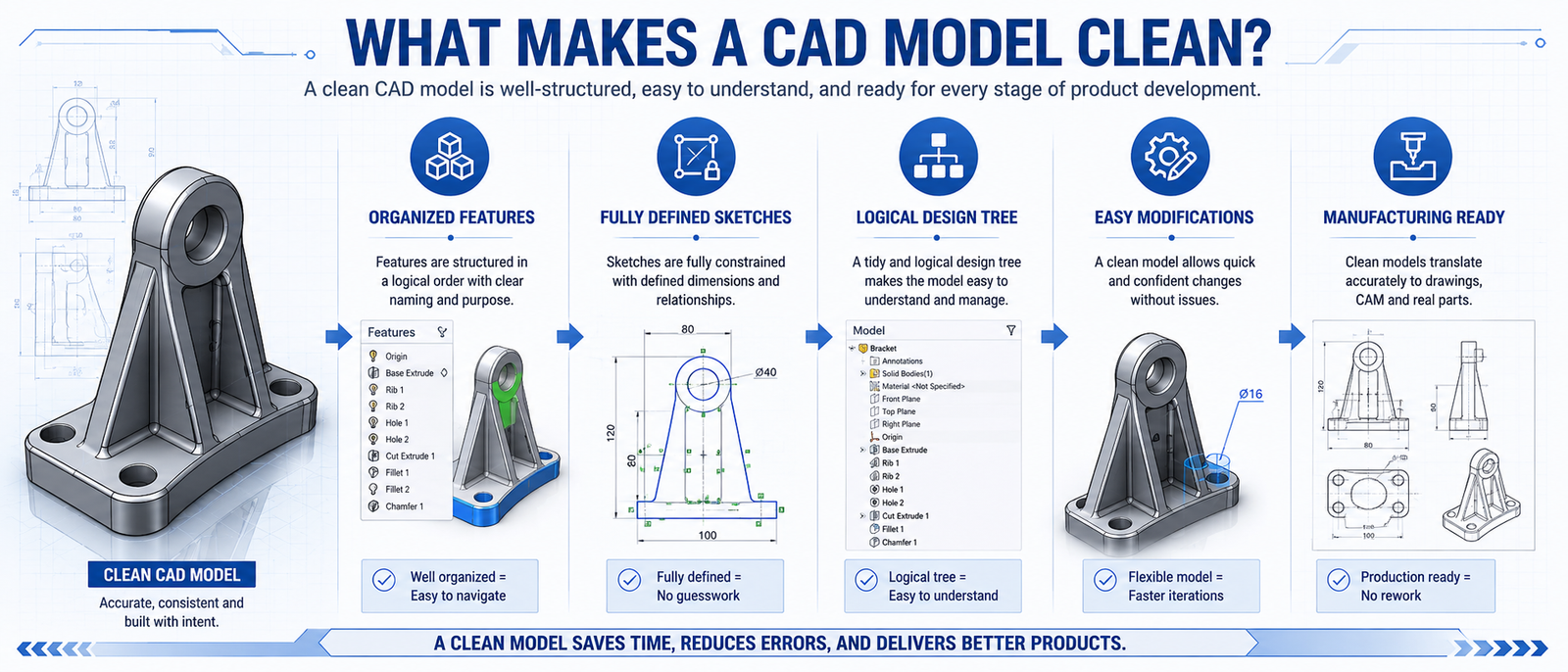
Clean CAD modeling is the practice of creating organized, efficient, and easy-to-manage 3D models.
It focuses on structure, clarity, design intent, and future usability rather than simply creating geometry.
In professional environments, CAD models are rarely used by only one person. Designers, analysts, manufacturing teams, and project engineers often work with the same files.
This is why clean modeling practices are a critical part of Industry-Level CAD Workflows.
A clean model should be easy to understand, modify, validate, and manufacture without unnecessary complications.
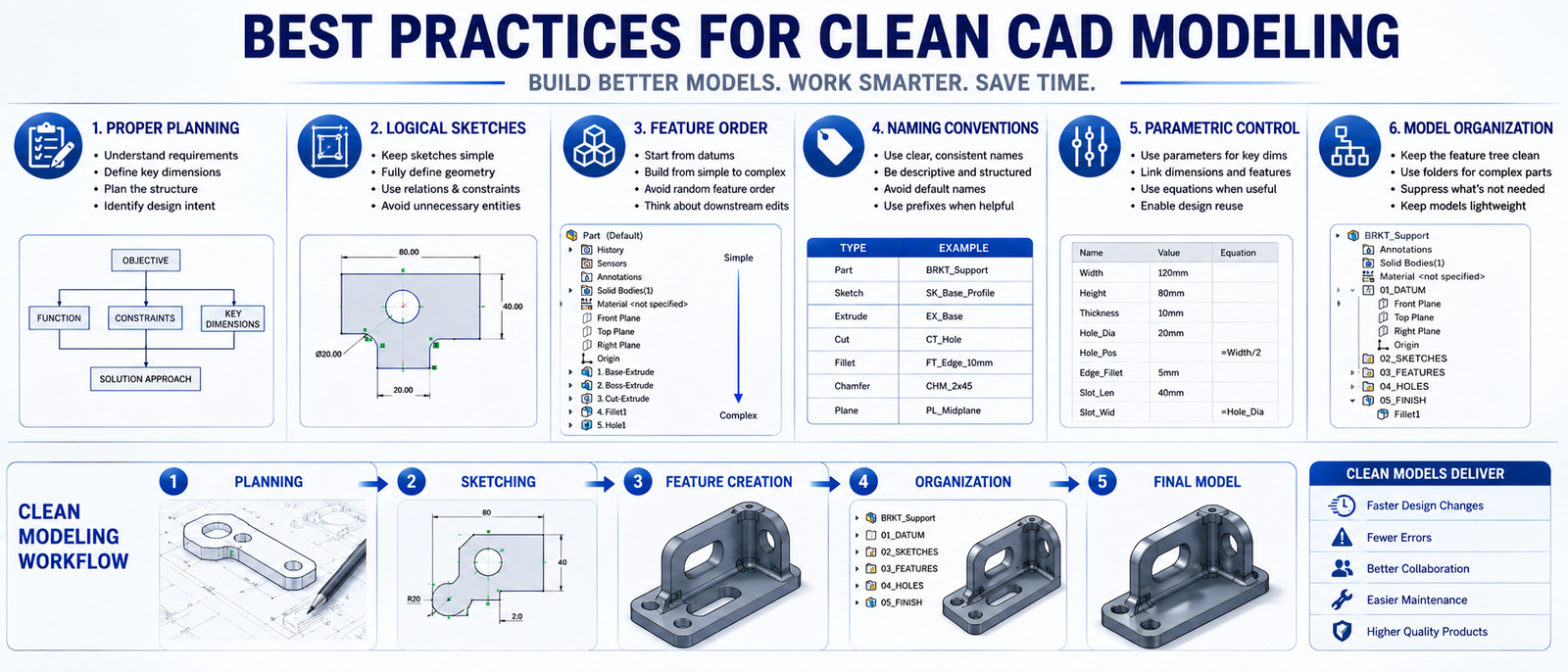
Before opening any CAD software, understand the design intent. A few minutes of planning can prevent hours of redesign later.
Overcomplicated sketches are one of the biggest causes of unstable CAD models. Keep sketches simple and ensure they are fully constrained.
Build features in a sequence that reflects how the component is designed and manufactured.
Too many fillets, patterns, and decorative details increase model complexity and reduce performance.
Rename sketches, features, bodies, and assemblies clearly so that anyone opening the model can understand it quickly.
Dimensions and constraints should drive the model. This makes future modifications much easier.
This approach is especially important when applying Parametric Modeling Techniques.
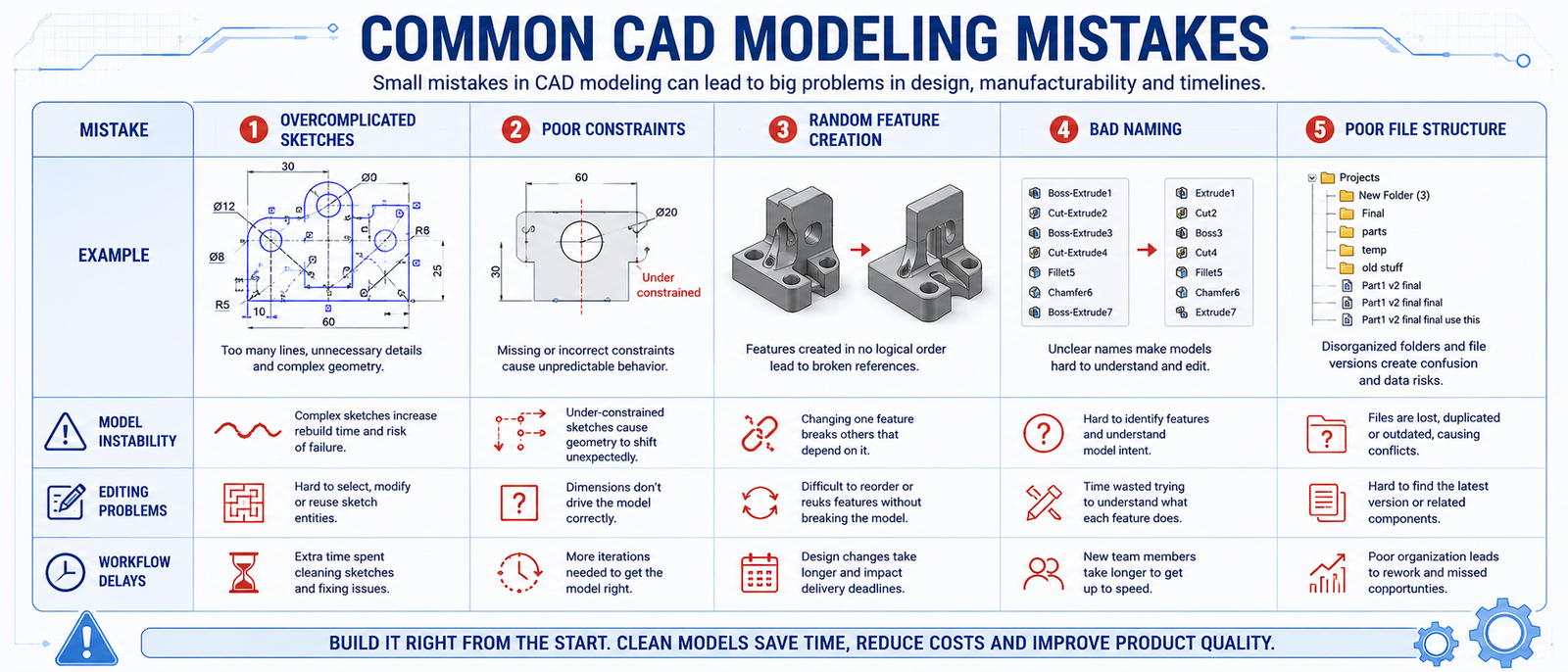
Many CAD issues are caused by habits developed during the learning stage.
Although these shortcuts may save a few minutes initially, they often create significant problems later in the project lifecycle.
Professional design engineers focus on creating models that remain stable and editable long after the initial design phase.
Many CAD issues are caused by habits developed during the learning stage.
Although these shortcuts may save a few minutes initially, they often create significant problems later in the project lifecycle.
Professional design engineers focus on creating models that remain stable and editable long after the initial design phase.
Clean CAD modeling is not an advanced skill reserved for experienced engineers. It is a fundamental practice that every design engineer should develop from the beginning.
Well-structured models improve efficiency, simplify modifications, support manufacturing, and reduce costly mistakes throughout a project.
The difference between a beginner and a professional designer is often not the ability to create a model—but the ability to create a model that remains useful throughout its entire lifecycle.
At 4Dimensions Infotech Pune, students learn the same CAD modeling standards and workflows used by engineering companies.
Whether you are looking for a CAD Course in Pune, AutoCAD Training, SolidWorks Course Pune, Creo Course, or a complete Mechanical Design Course, practical exposure to industry-standard modeling practices is essential.
Through project-based training, students learn how to create professional CAD models that are ready for design, simulation, and manufacturing.
👉 Start building strong CAD skills and become job-ready.
1. What is clean CAD modeling?
Clean CAD modeling is the practice of creating organized, efficient, and easy-to-edit CAD models.
2. Why is clean modeling important?
It improves accuracy, simplifies modifications, and reduces engineering errors.
3. What is parametric modeling?
Parametric modeling uses dimensions and constraints to control model geometry and design intent.
4. Can messy CAD models affect manufacturing?
Yes. Poorly structured models can lead to manufacturing mistakes, delays, and communication issues.
5. How can I improve my CAD modeling skills?
By practicing structured modeling techniques, understanding design intent, and working on real projects.
6. Which software is commonly used for CAD modeling?
AutoCAD, SolidWorks, CATIA, Creo, and Siemens NX are widely used across engineering industries.
© 2025 4Dimensions Infotech. All rights reserved. | Best Design Engineering Training Institute in Pune
Start your journey with the best design engineering training institute in Pune.